KIT REVIEW
Baseus Blade 65W Power Bank Review: The Slim Laptop Bank for Cafe Workers
BaseCPT Verdict
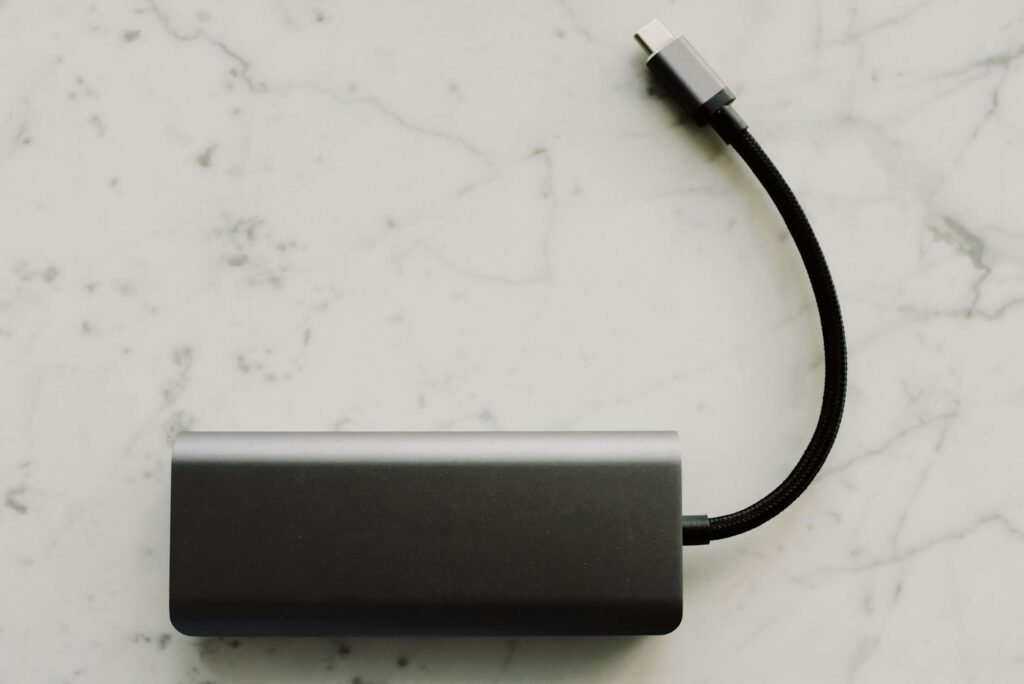
The Baseus Blade is a 20,000mAh power bank with 65W USB-C Power Delivery in a form factor barely thicker than a smartphone. It’s designed for people who want laptop charging capability without the brick-in-a-bag experience. For Cape Town digital nomads who split time between cafes and home offices, it hits a specific sweet spot between portability and power.
Key Specs
- Capacity: 20,000mAh / 74Wh
- Max output: 65W USB-C PD 3.0
- Ports: 2x USB-C, 1x USB-A
- Weight: ~450g
- Dimensions: 153 x 73 x 16mm (remarkably thin)
- Charging input: 65W USB-C (full recharge in ~1.5 hours)
- Display: LED screen showing remaining capacity percentage
- Price: ~R1,800–R2,500 (available intermittently on Takealot; more reliably via Amazon import)
What We Tested
We carried the Baseus Blade as a daily driver for four weeks, focusing on three things Cape Town’s remote work scene demands: cafe portability, charging speed, and load shedding usefulness.
Daily cafe circuit — Woodstock, CBD, Gardens. The Blade’s standout quality is its shape. At 16mm thick and roughly the footprint of a large phone, it slips into the laptop sleeve pocket or even a jacket. We worked from Truth Coffee, Rosetta Roastery, and a handful of smaller spots where outlet access ranges from “one plug behind the counter” to “nothing.” The Blade kept a MacBook Air M2 running for an additional 3–4 hours of light work (web, documents, Slack). That’s usually enough to finish a morning session without hunting for a wall socket.
Charging speed test. From the Blade to a MacBook Air M2 at 15% battery: the 65W output pushed the laptop to 50% in about 30 minutes, then tapered as the laptop’s battery management slowed intake. Full charge from 15% to 100% took roughly 1 hour 40 minutes, which consumed about 70% of the Blade’s capacity. For a MacBook Pro 14-inch, the 65W output charges but noticeably slower than Apple’s 96W adapter — expect a full charge to take over 2 hours.
Load shedding at home. Here’s where you need to be realistic. The Blade’s 74Wh will run a MacBook Air for roughly 2–2.5 hours under light load. Add a fibre router via 12V step-up cable (drawing 10–15W), and you’re looking at maybe 1.5–2 hours total. That covers a Stage 2 slot but gets tight during Stage 4’s 2.5-hour windows. It’s a supplement, not a solution for extended outages.
Recharge turnaround. With a 65W charger, the Blade goes from empty to full in about 90 minutes. Between load shedding slots, that’s usually enough time to top up completely — a practical advantage over larger banks that need 3–4 hours to recharge.
What’s Good
The form factor is genuinely different. Most 20,000mAh banks are chunky rectangles. The Blade is flat and wide, which makes it far more packable. It sits naturally next to a laptop in a sleeve, doesn’t create a bulge in a day bag, and weighs 180g less than the Anker 737. For nomads who move between workspaces daily, this matters more than spec sheets suggest.
65W is the sweet spot for ultrabooks. If you’re running a MacBook Air, Dell XPS 13, or similar USB-C laptop, 65W matches or exceeds the stock charger output. You’re not throttled into slow-charge mode. The bank replaces your wall charger for a full work session — just carry the Blade instead of the power brick.
The display is straightforward. A clear percentage readout. No unnecessary animation or complex menus. You glance at it, you know what you have left.
Competitive pricing for what it offers. At R1,800–R2,500, the Blade undercuts the Anker 737 significantly while delivering enough power for ultrabook users. The price-to-portability ratio is strong.
What’s Not
65W won’t fully power larger laptops. If you’re running a 16-inch MacBook Pro or a high-performance Windows laptop that draws 100W+, the Blade will charge it slowly but can’t keep up with heavy workloads. Your battery will still drain during intensive tasks — just slower. The Anker 737 at 140W handles this; the Blade doesn’t.
Takealot availability is hit-or-miss. Baseus products appear and disappear from Takealot. When available, pricing is reasonable. When not, you’re looking at Amazon imports with the usual customs and delivery time uncertainties. Check Takealot first, but don’t count on it being there.
20,000mAh isn’t enough for a full workday without wall power. You’ll get one meaningful laptop charge, maybe a top-up on a phone alongside it. If you’re doing an 8-hour workday entirely off-grid, you need more capacity or a second bank.
The slim design means no internal fan. Under sustained 65W output, the Blade gets warm. Not dangerously so, but noticeably. In Cape Town’s summer months (December–February), if you’re working outdoors or in a non-air-conditioned space, the heat is worth monitoring. We didn’t experience any thermal throttling in our testing, but ambient temperature was mild (18–24°C during our March–April test window).
USB-A port is limited. The single USB-A port maxes out at 18W. Fine for phones, but don’t expect fast charging from it — most of the Blade’s value is in the USB-C PD ports.
The Verdict
Buy it if: You carry a USB-C ultrabook (MacBook Air, XPS 13, ThinkPad X1 Carbon, etc.) and work from cafes regularly. The Blade’s portability advantage over bulkier banks is real and daily. It’s the right power bank for nomads who value a light bag and need reliable top-ups between outlets. Also a solid secondary bank for load shedding if your outages are typically under 2 hours.
Skip it if: You run a high-power laptop that needs more than 65W, you face regular 4-hour load shedding slots (get the Anker 737 or a Jackery instead), or you want guaranteed local availability with Takealot returns. For budget-focused nomads who primarily charge phones, the Romoss Sense 8P+ at ~R500–R700 on Takealot is a better value proposition.
Quick Reference
| Price | ~R1,800–R2,500 |
| Where to buy | Takealot (when in stock), Amazon, Loot.co.za |
| Best for | Ultrabook users who move between cafes daily |
| Skip if | You need 100W+ output or all-day off-grid power |
| Rating | 4.0 / 5 |