KIT REVIEW
SanDisk Extreme Portable SSD (1TB) Review: Fast Backup That Survives Your Bag
BaseCPT Verdict
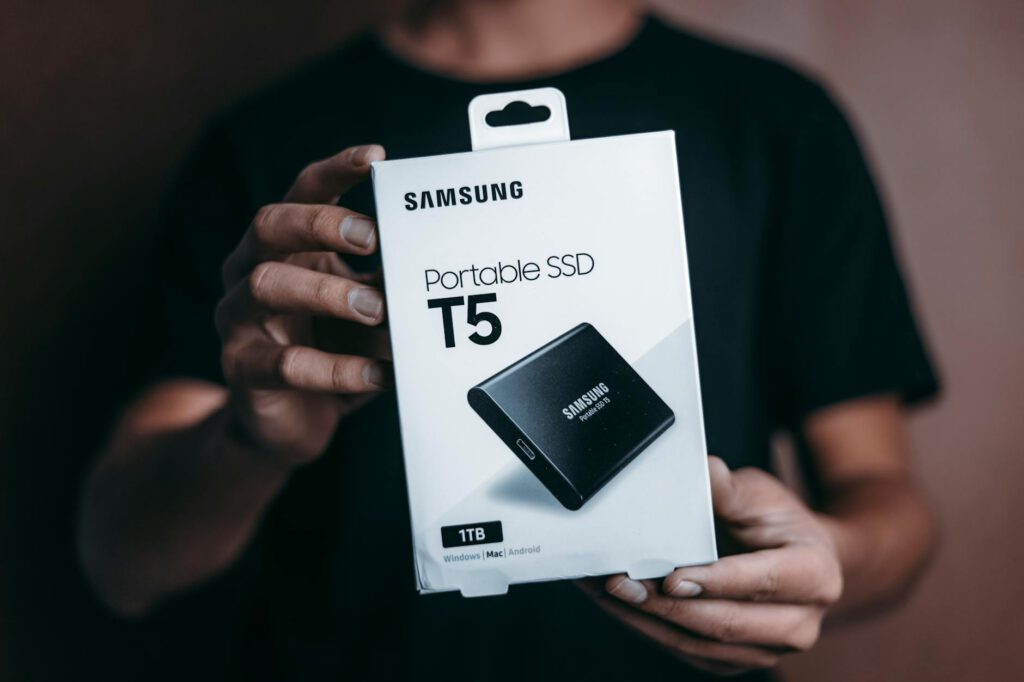
Losing your work is always bad. Losing your work when you’re 14,000km from your home office, with your next client deliverable due in 48 hours, is a different category of bad. Remote work from Cape Town means your laptop is your livelihood, and if that laptop gets stolen, dropped, or simply decides to stop working, you need a backup plan that isn’t “hope for the best.”
The SanDisk Extreme Portable SSD has been my local backup drive for four months. Here’s whether it deserves a place in your remote work kit.
What It Is and Who It’s For
The SanDisk Extreme Portable SSD is an external solid-state drive in a compact, ruggedised case. It connects via USB-C, transfers data at NVMe speeds, and is built to handle the rough treatment that comes with daily travel. The 1TB model sits in a sweet spot — enough storage for comprehensive backups without paying for capacity you’ll never use.
It’s for anyone who needs fast, reliable, portable storage. That includes remote workers backing up their machines, content creators transferring large files, photographers offloading camera cards, and anyone who wants a local backup that doesn’t depend on internet speed or uptime.
Key Specs
- Capacity: 1TB (also available in 500GB, 2TB, 4TB)
- Interface: USB-C 3.2 Gen 2 (USB-A adapter included)
- Read speed: Up to 1,050 MB/s
- Write speed: Up to 1,000 MB/s
- Durability: IP65 water and dust resistance, drop-resistant up to 2 metres
- Encryption: 256-bit AES hardware encryption (via SanDisk software)
- Dimensions: 100.8 x 52.4 x 9.6mm
- Weight: 52g
- Operating temperature: 0-45 degrees Celsius
- Price (ZAR): R1,600-R2,000 for 1TB on Takealot
What We Tested
Four months of daily and weekly backup use:
Transfer speeds: Timed large file transfers (project folders, photo libraries, video files) from a MacBook Pro to measure real-world read and write speeds versus the advertised maximums.
Backup workflow: Used as a Time Machine backup target (macOS) and a manual project backup drive. Tested the daily routine of plugging in, backing up, and moving on.
Durability in transit: Carried in a backpack daily between apartments and workspaces. Subjected to the standard abuse of Cape Town commuting — tossed in bags, bumped around on minibus taxis, exposed to dust and occasional drizzle.
Heat and sustained transfers: Monitored temperature during large transfers (50GB+) to check for thermal throttling.
What’s Good
Real-world speeds are fast enough to change your backup habits. The advertised 1,050 MB/s read speed is a peak figure you’ll rarely hit in practice. What I consistently measured was 800-900 MB/s for large sequential file transfers and 400-600 MB/s for mixed project folders with many small files. For context: copying a 50GB project folder takes under two minutes. A 10GB photo library transfers in about 15 seconds. These speeds are fast enough that you’ll actually do your backups instead of procrastinating because “it takes too long.” When I used a standard USB hard drive, I’d skip backups because waiting 20 minutes felt like a waste. With the Extreme, it’s a quick plug-in-and-done routine.
The size and weight are remarkable. At 52 grams, this drive weighs less than a deck of cards. It’s roughly the size of a credit card with a bit of extra thickness. It fits in a jeans pocket, a jacket pocket, the small accessory pocket of any laptop bag, or clipped to a carabiner loop using the built-in attachment point. You can carry it everywhere, every day, without noticing it.
IP65 durability is meaningful for travel. The rubber casing and sealed design mean you don’t worry about it getting caught in a Cape Town downpour, collecting dust in your bag, or surviving a drop onto a coworking floor. I accidentally knocked mine off a cafe table onto concrete (roughly a 75cm fall) and it kept working without issue. The rubber bumper around the edge absorbed the impact. This isn’t a rugged military drive, but it’s tough enough for real daily carry.
USB-C with USB-A adapter covers all scenarios. The primary connection is USB-C, which matches modern laptops directly. The included USB-A adapter means you can also connect to older machines, TVs, or colleagues’ computers when sharing files. Both adapters are short cables rather than dongles, which keeps the whole package compact.
Hardware encryption is included. Using SanDisk’s SecureAccess software (or the newer SanDisk Memory Zone app), you can encrypt the entire drive or a secure folder with 256-bit AES encryption. If the drive gets lost or stolen — a real risk when you’re carrying it between locations daily — your data stays protected. Setup takes two minutes.
1TB is the right capacity for most remote workers. Unless you’re editing 4K video daily, 1TB holds a complete backup of most work laptops with room to spare. My MacBook’s 512GB internal drive backs up entirely with 500GB of headroom left for additional file storage. If you need more, the 2TB and 4TB versions use the same case design.
What’s Not
It thermal throttles during sustained large writes. Copying more than about 80-100GB in a single session, the drive heats up and write speeds drop significantly — sometimes to 300-400 MB/s from the initial 800+ MB/s. The casing gets warm (not hot) to the touch. For most backup scenarios this doesn’t matter — how often are you transferring 100GB in one go? But if your initial full backup is large, expect the first one to take longer than the speeds suggest. Subsequent incremental backups are small enough that throttling never kicks in.
The SanDisk software is mediocre. The encryption and backup utility that comes with the drive feels like an afterthought. The interface is clunky, it runs slowly on first launch, and on macOS it requires granting full disk access permissions that feel excessive. I’d recommend using your OS’s built-in backup tools (Time Machine on macOS, File History on Windows) and only using the SanDisk software for encryption if you need it.
The cable is short. The included USB-C cable is roughly 20cm. Functional, but if your laptop’s USB-C port is on the opposite side from where you want the drive to sit on your desk, it’s awkward. A longer cable is a R50 purchase, but it’s annoying to need one.
No physical write-protect switch. Some competing drives include a physical switch to prevent accidental deletion or write operations. The SanDisk Extreme doesn’t. Not a deal-breaker for most users, but a missing feature for anyone handling sensitive data who wants an extra layer of protection.
Price fluctuates significantly. I’ve seen the 1TB model range from R1,600 to R2,200 on Takealot depending on the week. There’s no obvious pattern — it seems to be stock-dependent. If you’re not in a rush, check the price over a few weeks and buy when it dips. Setting a Takealot price alert is worth the five minutes.
Alternatives Worth Considering
Samsung T7 (R1,500-R1,900 for 1TB): The most direct competitor. Similar speeds, similar size, similar price. The Samsung is slightly faster in benchmarks, slightly less rugged (IP65 vs no IP rating on the base T7), and has a fingerprint reader on the T7 Touch variant (R200-R400 more). Both are excellent. I’d pick whichever is cheaper on the day.
Samsung T7 Shield (R1,800-R2,200 for 1TB): Samsung’s rugged version with IP65 rating and a rubber bumper. Very similar to the SanDisk Extreme in concept and execution. Slightly faster peak speeds, slightly bulkier. Choose on price and availability.
SanDisk Extreme Pro (R2,200-R2,800 for 1TB): The step-up from the Extreme with faster speeds (2,000 MB/s read) and a more durable forged aluminium casing. The extra speed is nice for video editors but overkill for backup use. Only worth the premium if you regularly transfer very large files and want the absolute fastest option.
Seagate One Touch SSD (R1,400-R1,800 for 1TB): Slightly cheaper, slightly slower, no IP rating. Fine for a desk backup drive, less ideal for daily carry. A reasonable budget option if you’re price-conscious.
The Verdict
The SanDisk Extreme Portable SSD is the backup solution I’d recommend to any remote worker in Cape Town. It’s fast enough that backing up becomes a habit instead of a chore, small enough to carry everywhere, and tough enough to survive daily travel. The thermal throttling during huge transfers and mediocre bundled software are real limitations but don’t affect typical daily use.
At R1,600-R2,000 for the 1TB model on Takealot, it’s priced competitively against Samsung’s T7 line. Both are excellent — buy whichever is cheaper when you’re ready to purchase. The important thing is that you have a local backup at all. Cloud backup via Google Drive or Dropbox is good, but it depends on internet access. When your fibre goes down or you’re working from a cafe with slow Wi-Fi, a physical backup that transfers at 800+ MB/s is insurance you’ll be grateful for.
If you’re building your remote work kit, this is one of the less exciting purchases but one of the most important. Get it, set up automatic backups, and stop thinking about it.
Quick Reference
| Product | SanDisk Extreme Portable SSD (1TB) |
| Price | R1,600-R2,000 (Takealot) |
| Where to buy | Takealot, Incredible Connection, Evetech |
| Best for | Remote workers who need fast, portable local backup |
| Skip if | You only need cloud backup and always have fast internet |
| Rating | 4.5 out of 5 |