KIT REVIEW
Logitech MX Keys Mini Review: A Compact Keyboard Built for Nomad Desks
BaseCPT Verdict
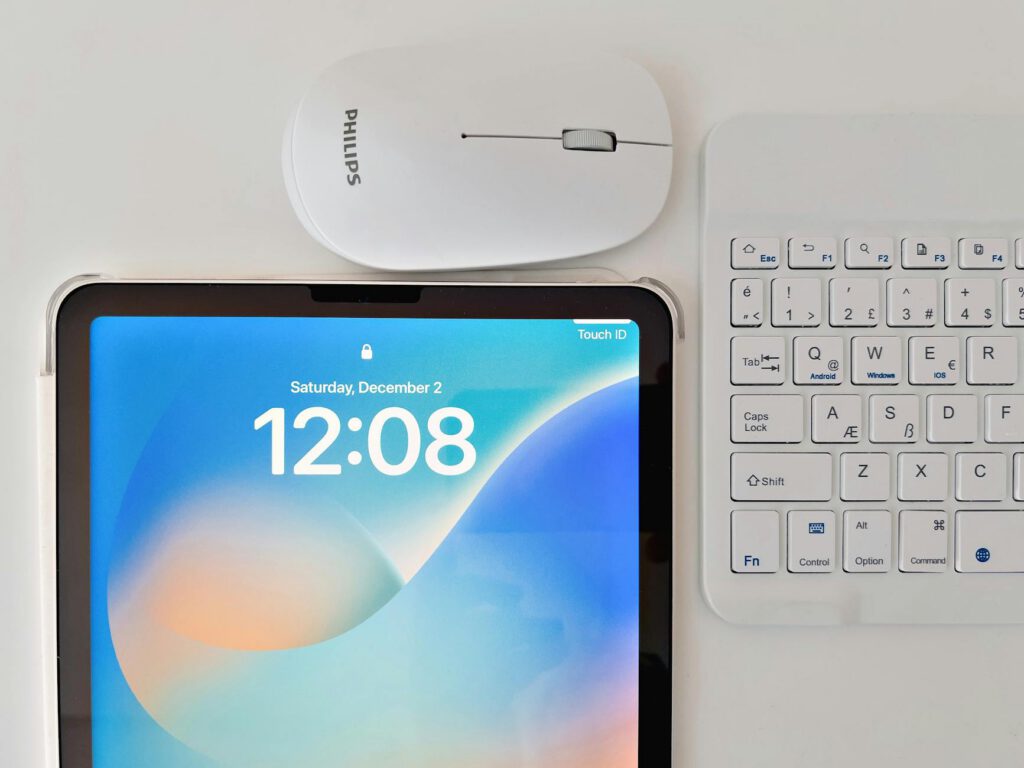
Your laptop keyboard is fine for an hour at a cafe. It’s not fine for eight hours of writing, coding, or spreadsheet work. After a few weeks of full-time remote work in Cape Town, the flat, cramped layout starts to wear on your wrists and your patience. An external keyboard is one of the first upgrades that actually improves your working life — and the Logitech MX Keys Mini is one of the most popular choices in the compact category.
I’ve been typing on it for four months across coworking spaces, cafes, and my home desk. Here’s the full picture.
What It Is and Who It’s For
The MX Keys Mini is a compact wireless keyboard from Logitech’s premium MX line. It drops the number pad to save space, keeping the layout tight enough to fit in a laptop bag while still offering full-size key spacing. It connects via Bluetooth or the included Logi Bolt USB receiver and can pair with up to three devices simultaneously.
It’s designed for people who type a lot and move between workspaces. If you’re a writer, developer, marketer, or anyone else producing long-form text as part of your remote work, this keyboard is targeting you specifically.
Key Specs
- Layout: Compact (no number pad), full-size key spacing
- Connectivity: Bluetooth Low Energy, Logi Bolt USB receiver (included)
- Multi-device: Pairs with up to 3 devices, one-button switching
- Backlight: Proximity-activated, adjustable brightness
- Battery: Rechargeable via USB-C, up to 10 days with backlight or 5 months without
- Compatibility: macOS, Windows, iPadOS, Chrome OS
- Key type: Scissor mechanism, low-profile
- Weight: 506g
- Dimensions: 296 x 132 x 21mm
- Price (ZAR): R1,800-R2,200 (Takealot, Incredible Connection)
What We Tested
Four months of daily use across Cape Town work setups:
Long typing sessions: Full workdays of writing articles, emails, and documentation. Tested comfort over 6-8 hour stretches at coworking desks in Woodstock and Observatory.
Multi-device switching: Paired with a MacBook Pro (primary work machine) and an iPad (reference reading, secondary screen). Tested how quickly and reliably it switches between the two throughout the day.
Cafe portability: Carried in a laptop bag to various cafes along Kloof Street, Bree Street, and in Kalk Bay. Assessed the size, weight, and setup speed in cramped cafe conditions.
Backlight and battery: Tracked battery life across different usage patterns — backlight on full, backlight off, mixed use. Charged and measured drain over multiple cycles.
What’s Good
The typing feel is excellent for a low-profile keyboard. Each key has a subtle concave dish that guides your fingertips into position. After years of typing on flat laptop keyboards, the difference is immediately noticeable. The key travel is shallow but has a satisfying firmness — there’s a definite actuation point without the mushy feel of cheaper membrane boards. I consistently type faster and more accurately on the MX Keys Mini than on my MacBook’s built-in keyboard.
Multi-device switching works as advertised. Three buttons along the top edge let you flip between paired devices. Press the button, and within about two seconds you’re typing on the other device. I keep my MacBook on slot 1 and iPad on slot 2. When I need to look something up on the tablet or reply to a message, one press and I’m there. One press back and I’m on the laptop again. Over four months, the switching has been reliable roughly 95% of the time — occasionally it takes a few extra seconds to connect, but it’s never fully failed.
The compact size is right for mobile work. Without the number pad, this keyboard is small enough to fit in a standard laptop sleeve alongside your machine. At cafes where table space is tight — which describes most Cape Town coffee spots — it doesn’t crowd out your coffee cup and notebook. It’s wide enough that your hands sit at a natural width, but not so wide that it pushes your mouse (or trackpad) too far to one side.
Build quality matches the price. The aluminium top plate feels substantial without adding unnecessary weight. The keys don’t wobble or rattle. After four months of daily transport in a bag, there’s no visible wear. This feels like a tool that will last years, not months.
The proximity-activated backlight is clever. Sensors detect when your hands approach the keyboard and illuminate the keys automatically. In dim coworking spaces or late evening work sessions, it’s useful. The brightness adjusts to ambient light, so it’s not blinding in a dark room or washed out in daylight.
What’s Not
Battery life with backlight is disappointing. Logitech claims 10 days with backlight on. In my experience, with moderate brightness and 6-8 hours of daily use, I got closer to 7-8 days before needing to charge. That’s fine if you remember to plug it in weekly, but it’s a far cry from the “5 months without backlight” figure. The backlight is the single biggest battery drain. If you want the best battery life, turn it off — but then you’re paying for a feature you’re not using.
The price is steep for South Africa. At R1,800-R2,200, you’re paying a significant premium. You can get a decent full-size mechanical keyboard for less. The MX Keys Mini justifies its price through build quality, multi-device support, and portability — but it’s still a lot of money for a keyboard, and if your budget is tight during your first months in Cape Town, this isn’t where I’d spend first.
No mechanical feel. If you’re coming from a mechanical keyboard, the low-profile scissor switches will feel flat and underwhelming. The MX Keys Mini prioritises quietness and portability over tactile satisfaction. For cafe work, this is actually a benefit — nobody wants to hear you hammering a Cherry MX Blue board at Truth Coffee. But if you work primarily from home or a private office, you might prefer the feedback of a mechanical switch.
The Logi Bolt receiver takes up a USB-A port. If you want the most reliable connection (which I’d recommend for primary work use), you’ll use the included USB receiver rather than Bluetooth. On a modern laptop with only USB-C ports, that means using it through a hub, adding another link in the chain. Bluetooth works fine for most use, but I’ve noticed occasional micro-lag over Bluetooth that doesn’t happen with the receiver.
No wrist rest included. Given the price, the lack of an included wrist rest is a miss. After long typing sessions, I noticed wrist fatigue that a small rest would solve. You can buy one separately for R200-R400, but it’s an additional cost and another thing to carry.
Alternatives Worth Considering
Apple Magic Keyboard (R2,500+): Thinner, pairs perfectly with Apple devices, but no multi-device switching, no backlight sensor, and more expensive. Only makes sense if you’re fully in the Apple device family and value the clean pairing.
Logitech K380 (R800-R1,000): Logitech’s budget multi-device keyboard. Same three-device switching, but with round keys, a cheaper plastic build, and AA batteries instead of rechargeable. A solid option if you want multi-device on a tighter budget. The typing experience is noticeably worse.
Keychron K3 (R1,500-R1,900, imported): A low-profile mechanical keyboard that’s also compact. Better typing feel for mechanical enthusiasts, but no multi-device switching, heavier, and harder to source locally. Available through importers or Amazon.
NuPhy Air75 V2 (R2,000+, imported): Another low-profile mechanical option with Bluetooth multi-device. Excellent typing feel but bulkier, louder, and not readily available in South Africa without importing.
The Verdict
The MX Keys Mini is the best compact wireless keyboard I’ve used for remote work. The typing comfort, multi-device switching, and build quality justify the price — particularly if you move between workspaces regularly and need something reliable that fits in a bag. The backlight battery drain is a genuine annoyance, and the price is hard to swallow at South African retail, but the daily experience of using this keyboard is good enough that I haven’t reached for an alternative in four months.
If you type for a living and work from multiple locations around Cape Town, this is the keyboard to get. If you work from a single desk most of the time, consider a full-size mechanical board instead — you’ll get more keyboard for less money.
Quick Reference
| Product | Logitech MX Keys Mini |
| Price | R1,800-R2,200 (Takealot, Incredible Connection) |
| Where to buy | Takealot, Incredible Connection, Evetech |
| Best for | Writers and typists who move between workspaces and devices |
| Skip if | You want mechanical feel, or you work from one desk and don’t need portability |
| Rating | 4.5 out of 5 |